
AI Summaries and Chat
Overview
AI can summarize your activity over a period into a text report, or answer questions based on your activity records.
Summary Reports
“AI Summary” turns activity records into text reports.
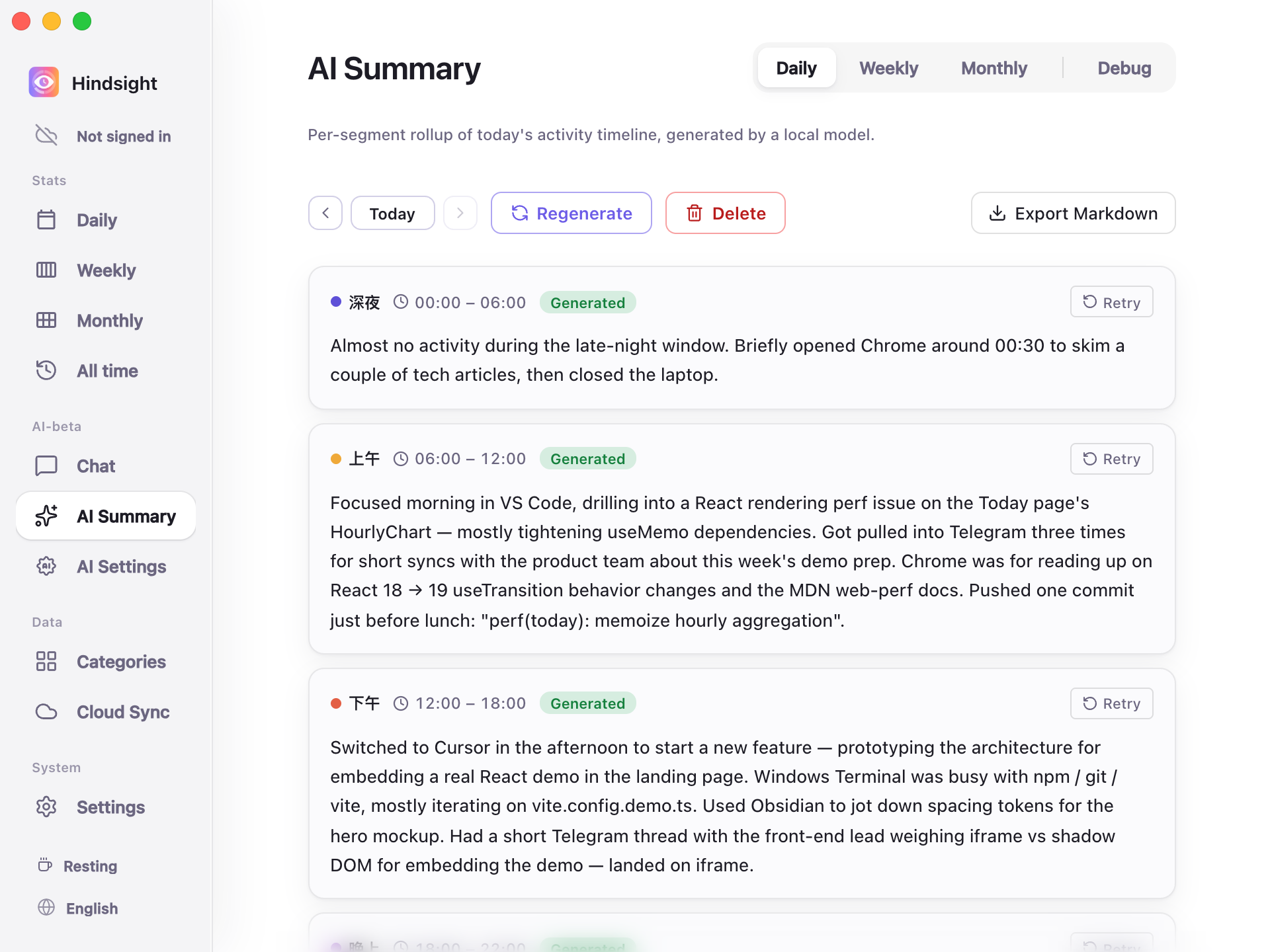
AI Summary → Daily
Currently supported:
- Daily: Organizes a day's activity into configured time segments. Reports can be exported as Markdown.
- Weekly: Generates a report summarizing a week's activity.
“Monthly” is still in development and cannot generate reports yet.
Chat
Use natural language on the “Chat” page to query your records, such as “How much time did I spend on the Hindsight project this week?” or “How much time did I spend browsing YouTube this week?”.
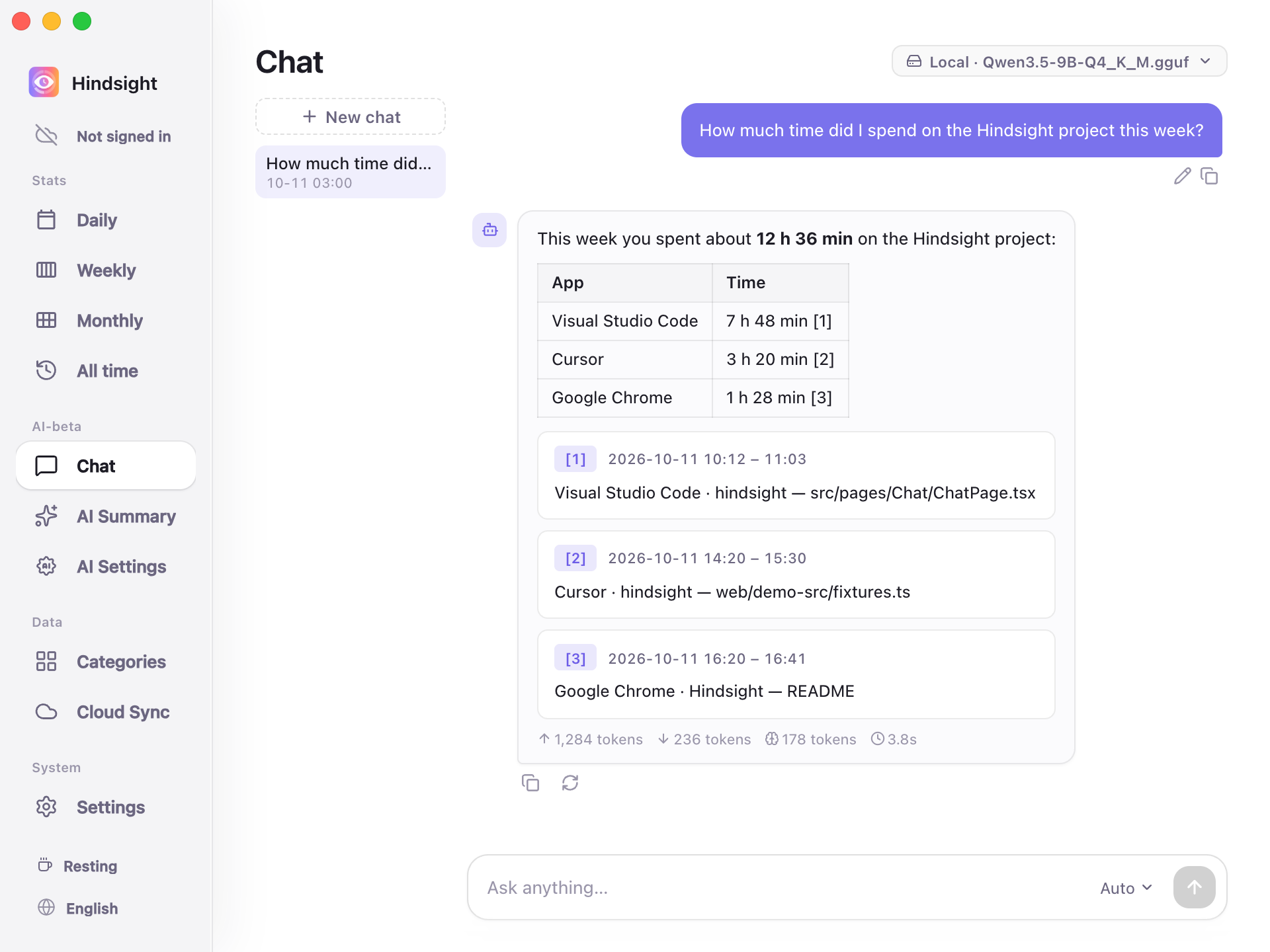
AI Chat
AI answers based on your activity records and provides links so you can check its sources.
Models
Summaries and Chat each have their own model selection, either local or cloud:
- Local models: Run on your computer; all content stays on your device.
- Cloud API: Supports OpenAI-compatible APIs, with presets for OpenAI, DeepSeek, Kimi (Moonshot), OpenRouter, Together, and Groq. You can also enter another compatible service's URL.
See AI Configuration for setup details.
Defaults
| Setting | Default | Description |
|---|---|---|
| Auto summary | Off | When enabled, generates the current day's Daily report at 23:00 by default, and fills in missing daily reports and the previous week's weekly report |
| Enable cloud API | Off | Uses local models by default; cloud services require configuration |